
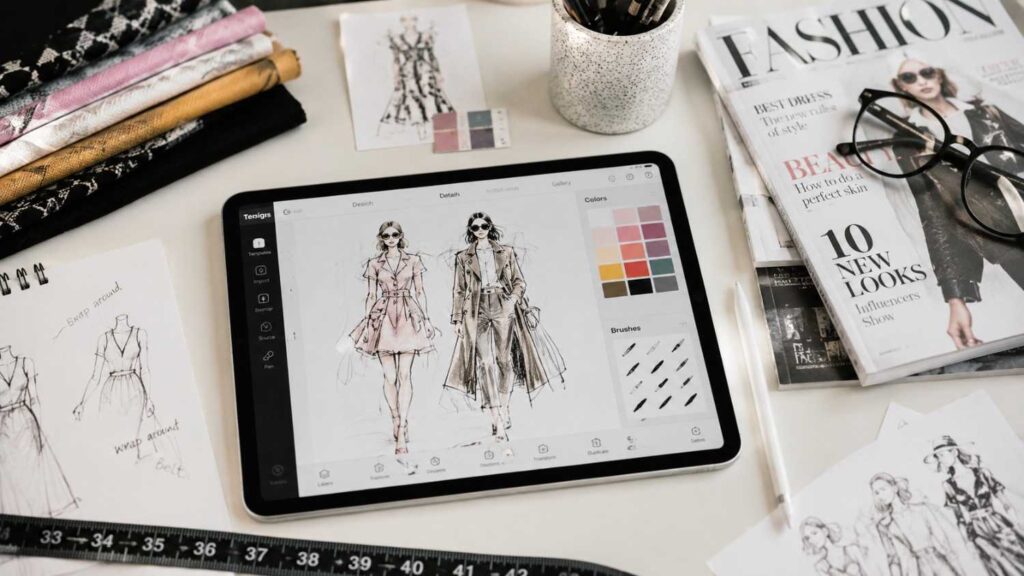
Top 10 Fashion Design Apps for Inspiration: Best Creative Tools for Designers
The Top 10 Fashion Design Apps for Inspiration provide a practical digital toolkit for turning raw references into more developed fashion concepts. Some tols help designers think; others help them draw, refine, organize, or present.
Understanding those roles is more important than trying to find one application that does everything.
A mood-board app, for example, is not inferior because it cannot produce professional technical drawings. Its purpose is to help establish visual direction. Similarly, Illustrator may be exceptionally powerful for vector work but unnecessary when a designer only wants to sketch several quick silhouettes.
The table below summarizes where each app fits.
| App | Best For | Main Creative Strength |
|---|---|---|
| Prêt-à-Template | Fashion sketching | Fashion templates and collection workflow |
| FashionDraw | Fashion illustration | Large template library and fabric brushes |
| FLYP | Clothing concepts | 3D fashion design and product visualization |
| Procreate | Illustration | Expressive iPad drawing and painting |
| Adobe Fresco | Drawing and painting | Raster, vector, and Live Brushes |
| Adobe Illustrator | Technical/vector design | Precise scalable vector graphics |
| Concepts | Ideation | Infinite vector-based sketching canvas |
| Sketchbook | Fast sketching | Clean interface and customizable brushes |
| Canva | Mood boards | Visual presentation and collaboration |
| Research | Visual discovery and reference boards |
When choosing from this list, focus on workflow fit.
A fashion student who struggles with human figures may gain more from Prêt-à-Template than Illustrator. A strong illustrator developing editorial artwork may prefer Procreate. An independent streetwear creator interested in product concepts may find FLYP more relevant.
You do not need all ten tools. The goal is to create a small digital system where every app has a clear job.
Best Fashion-Specific Design Apps
Fashion-specific software removes several layers of preparation that are normally required in a general illustration app. Instead of creating a croquis, importing garment references, building material brushes, and organizing collection pages manually, the designer begins inside an environment already structured around clothing.That advantage can significantly improve creative speed.
For a broader look at how fashion design apps can support different stages of the creative process, this overview provides useful additional context.
For students, templates provide a consistent base for comparing multiple design ideas. For professionals, garment-oriented resources can reduce repetitive work when exploring colorways, accessories, or collection variations. For stylists and fashion-content creators, these platforms can also make outfit concepts easier to visualize before moving into photography or production.However, convenience should not become dependency.
Fashion templates are starting points. Designers still need to understand proportion, movement, fabric behavior, construction, and visual balance. If every sketch relies on the same template without modification, the work can begin to look generic.The three fashion-specific tools below approach the process differently.
Prêt-à-Template feels closest to a broad digital fashion studio, combining sketching with collection-oriented features.FashionDraw emphasizes templates, fashion illustration, material brushes, technical resources, and presentation.
FLYP is less traditional. Its value lies in customized apparel concepts, 3D-style visualization, and product-oriented creative development.A useful way to choose between them is to decide what you want to see at the end of the session.If you want a fashion illustration or collection sketch, Prêt or FashionDraw may be stronger.If you want to imagine how a customized product or graphic looks on apparel, FLYP may better match the task.
1. Prêt-à-Template
Prêt-à-Template is designed around the idea of giving fashion creators a ready-to-use digital studio. Instead of starting with a blank canvas, users can work with fashion figures and garment-oriented resources that make early concept development faster.
This is particularly useful for students because figure drawing can become a bottleneck. A learner may have interesting garment ideas but spend most of the session correcting anatomy. Templates let the designer temporarily separate those skills and focus on silhouette, proportion, color, detailing, and styling.
The app also extends beyond individual sketches. Its fashion-oriented workflow includes areas for mood boards, collection development, textile research, product concepts, and portfolio organization. That broader structure makes it helpful when several related looks need to feel like part of one collection.
Apple Pencil support further improves the experience for users who prefer direct drawing.
Prêt-à-Template is not a replacement for learning fashion drawing from observation. Designers should still practice gesture, body proportion, fabric movement, and garment construction.
Its real strength is efficiency.
When the goal is to test multiple looks quickly, compare variations, or build a presentation around a consistent figure base, templates reduce repetitive preparation. For beginners, that can make the design process feel more accessible. For experienced users, it can make ideation faster.
2. FashionDraw by Fashionary
FashionDraw by Fashionary is particularly useful for designers who want a large library of fashion-oriented starting points combined with tools for material rendering and technical communication.
Its current App Store listing describes more than 1,800 templates covering areas such as womenswear, menswear, childrenswear, technical clothing drawings, and accessories. That variety can be valuable when a collection includes more than one garment category.
The material brushes are another important feature.
Fashion illustration often needs to communicate whether a garment is soft, structured, shiny, sheer, textured, fuzzy, or heavily patterned. Generic art brushes can achieve those effects, but a fashion-oriented brush library reduces experimentation time when fabric communication is the priority.
FashionDraw also includes technical drawing resources, which helps bridge the gap between expressive concept sketches and clearer garment representation.
For beginners, templates provide confidence and speed.
For more advanced designers, the benefit is organization. Instead of repeatedly building the same croquis, accessory outlines, or technical foundations, the app can act as a structured sketch environment.
The best results still require design judgment.
A fabric brush cannot decide whether the material suits the silhouette. A template cannot determine whether the collection is coherent.
Use the tools to accelerate communication, then apply your own understanding of construction, proportion, color, and material behavior to make the work distinctive.
3. FLYP
FLYP is a useful option for designers whose interests sit between fashion design, customized apparel, branding, product visualization, and digital content creation.
Unlike a traditional fashion-sketching app, FLYP places more emphasis on seeing concepts applied to clothing products such as T-shirts, hoodies, hats, and accessories. That makes it relevant to streetwear creators, independent labels, merch designers, and entrepreneurs who want to test how graphics or custom ideas might appear on products.
The app’s product-oriented workflow can shorten the distance between inspiration and visualization.
A creator might begin with a graphic, color concept, phrase, or visual theme and quickly test how it interacts with the shape of a garment. This is useful before investing time in more detailed technical development.
Its current listing also describes AI-assisted templates and prompts as part of its creative workflow. Those features can support ideation, but designers should still treat generated suggestions as starting points rather than finished creative direction.
FLYP is not the strongest choice for traditional hand-rendered fashion illustration or precision technical flats.
Its advantage is immediacy.
If your question is, “How might this concept look as a real fashion product?” rather than “How do I render this couture silhouette beautifully?”, FLYP can be a more suitable tool.
That difference makes it complementary to illustration apps rather than directly interchangeable with them.
Best Apps for Fashion Illustration
General illustration software becomes especially valuable once a designer wants more control over visual style. Fashion-specific templates can speed up ideation, but expressive illustration often requires a broader set of brushes, layer controls, masks, color tools, transformations, and drawing options.
These apps allow designers to create their own visual language.
One illustrator may prefer sharp editorial line work with large areas of flat color. Another may use watercolor effects, textured pencils, collage, airbrush shading, or highly realistic digital painting. General illustration software provides the flexibility to develop those differences.
The main tradeoff is setup.
Unlike Prêt-à-Template or FashionDraw, a general art app may not know anything about fashion. You may need to import or build your own croquis, garment references, textile textures, color palettes, and technical guides.
esigners comparing digital tools can also use this practical review of digital fashion illustration apps to see how different drawing environments fit into an illustration workflow.
For experienced designers, that freedom is often worth the effort.
The three apps below offer different strengths.
Procreate is known for an intuitive iPad drawing experience and extensive brush-based illustration.
Adobe Fresco combines raster, vector, and Live Brushes, making it attractive for designers who want both painterly and scalable elements.
Adobe Illustrator focuses on vector precision and is especially useful when designs need to remain clean, editable, and scalable.
These tools can also work together.
A designer might sketch freely in Procreate, create painted details in Fresco, then rebuild important motifs or graphics as vectors in Illustrator.
The best choice depends on whether your priority is expression, mixed-media flexibility, or precision.
4. Procreate
Procreate is particularly strong for fashion illustrators who want the responsiveness and freedom of a digital sketchbook combined with a large set of professional creative tools.
The app is designed around iPad and Apple Pencil, making the act of drawing feel direct. Brushes can be used for clean line work, pencil-style sketching, ink, paint, texture, shading, and custom effects. Layers allow garment elements, skin, hair, shadows, prints, and backgrounds to remain separate during editing.
For fashion work, that flexibility supports several workflows.
You can create a croquis once and reuse it beneath multiple designs. Separate layers make it easy to test different colors or remove garment elements without redrawing the entire figure. Masks and selection tools help control where texture and shading appear.
Procreate is also useful for editorial-style fashion illustration because the final image does not need to resemble a technical sketch.
Designers can exaggerate movement, proportion, brushwork, or composition to communicate mood.
The main limitation is that Procreate is not fashion-specific.
It does not automatically provide the structured template libraries or collection-development workflow found in dedicated apps. Designers either create their own systems or import external references.
That makes Procreate especially rewarding for users who already understand the basics of fashion drawing and want more artistic control.
For beginners, it is still approachable, but some setup and practice are required.
5. Adobe Fresco
Adobe Fresco is a strong option for fashion designers who want digital drawing to move between clean line work and more natural painting effects.
Adobe describes Fresco as a professional drawing and painting application with raster brushes, vector brushes, and Live Brushes. This combination gives fashion illustrators several visual approaches inside one environment.
Raster brushes are useful for detailed painting, shading, fabric texture, and expressive rendering. Vector brushes allow cleaner scalable strokes, while Live Brushes imitate behaviors associated with traditional media such as watercolor and oil paint.
That flexibility is particularly useful when a designer wants sketches to feel less digitally uniform.
A flowing dress can be rendered with soft watercolor-like transitions, while accessories or construction details remain sharper.
Fresco also benefits designers who already work within the Adobe ecosystem because artwork can continue into programs such as Photoshop or Illustrator.
This creates a useful professional workflow.
A loose concept can begin in Fresco, move to Photoshop for advanced image editing, or be combined with precise vectors in Illustrator.
The app is not limited to fashion, so users need to create their own structure around croquis, templates, and collection organization.
Its strength lies in media flexibility.
For designers who enjoy traditional painting but want digital control, Fresco can provide a comfortable bridge between hand-rendered aesthetics and modern creative workflows.
6. Adobe Illustrator on iPad
Adobe Illustrator on iPad is most useful when fashion artwork needs precision, scalability, and clean vector construction.
Unlike raster drawing, vector artwork is built from mathematically defined paths and shapes. That means graphics can be resized without becoming pixelated, while individual anchor points, curves, fills, and strokes remain editable.
For fashion designers, this can be valuable for technical-style garment drawings, logos, motifs, graphics, repeatable shapes, presentation artwork, and other elements that need to remain clean at different sizes.
The iPad version supports tools such as the Pen, Pencil, Paint Brush, Blob Brush, and path editing, allowing stylus and touch input to be integrated into the vector workflow.
Illustrator can also convert imported sketches into vectors, which creates a useful bridge between spontaneous drawing and production-ready artwork.
For example, a designer might create a rough motif in Procreate, import it into Illustrator, then redraw or vectorize it for cleaner application.
The learning curve is steeper than with a basic sketching app because vector drawing requires a different way of thinking.
Instead of only painting marks, you are constructing editable shapes and paths.
For beginners focused mainly on fashion illustration, Illustrator may feel excessive.
For designers creating graphics, technical artwork, logos, or scalable presentation assets, however, it can become one of the most important tools in the workflow.
Best Flexible Sketching Apps for Fashion Ideas
Not every useful fashion sketch needs to become a polished illustration. Early-stage design often involves quick decisions: changing a sleeve, testing three neckline options, writing fabric notes beside a silhouette, comparing proportions, or mapping how several garments might work together.
Flexible sketching apps are valuable because they support this rougher stage without forcing the designer into a polished presentation too early.
This distinction matters.
When designers try to make every first idea look beautiful, they may spend too much time rendering weak concepts instead of generating alternatives.
A fast sketch environment encourages quantity before refinement.
Concepts and Sketchbook are both useful for this purpose, but they approach the canvas differently.
Concepts is built around an infinite workspace and editable vector-style strokes. That makes it particularly useful for sprawling research diagrams, garment variations, annotations, and visual thinking that does not fit neatly onto one page.
Sketchbook feels closer to a traditional digital sketchbook. It prioritizes a clean drawing experience with customizable brushes, layers, guides, and familiar sketching tools.
Neither app is fashion-specific.
That is an advantage when you want complete control over how ideas are organized.
You can import a croquis, draw from scratch, paste reference images, write construction notes, or develop your own reusable template system.
For fashion students, these apps can be excellent places to practice thinking through designs without worrying about final presentation.
For professionals, they offer a fast environment for communicating an idea before moving into more specialized software.
7. Concepts
Concepts is particularly useful for fashion designers who like to think across a large visual space rather than working page by page.
Its infinite canvas allows sketches, notes, reference images, color ideas, construction details, and alternative designs to sit beside one another without being restricted to a traditional fixed page.
That freedom can change the way fashion ideation works.
Instead of creating a separate file for each look, a designer could build one expansive collection-development canvas containing silhouettes, accessories, fabric notes, styling references, and color experiments.
Concepts also uses vector-based strokes, which means drawn elements remain more editable and scalable than conventional raster marks.
A sleeve sketch can be moved, resized, or repositioned while keeping the line quality clean.
This makes the app particularly useful during problem solving.
You might draw several collar shapes, duplicate them, alter their proportions, and place them beside a garment to compare the effect.
Concepts is available across several platforms, including iOS, Windows, Android, and ChromeOS, although some features can vary by platform.
It is not a replacement for Illustrator when highly precise professional vector artwork is required.
Its value lies in fluid ideation.
For designers who naturally combine drawing, arrows, annotations, references, and diagrams while thinking, the infinite canvas can feel more flexible than a conventional sketchbook.
8. Sketchbook
Sketchbook is an excellent choice when the priority is simply drawing ideas quickly with minimal interface distraction.
The app provides customizable pencils, markers, airbrushes, paint brushes, layers, blend modes, rulers, guides, and stroke tools. This makes it suitable for everything from loose thumbnails to more developed digital sketches.
For fashion designers, simplicity is useful.
You can open a canvas and immediately explore garment silhouettes without first setting up a complex project structure. This is ideal when inspiration appears suddenly and needs to be captured before it disappears.
Sketchbook also works well for iterative design.
Draw a basic silhouette, duplicate the layer, then test multiple sleeves, hems, collars, or styling directions. Importing your own croquis or reference imagery can turn the app into a personalized fashion sketch environment.
Because Sketchbook is not fashion-specific, it does not provide the same built-in garment library or industry resources as FashionDraw or Prêt-à-Template.
The designer supplies the structure.
For some users, that freedom is preferable.
Beginners can use it to practice observational drawing and develop confidence without being locked into templates. Advanced designers can build custom brush sets, templates, and workflows that reflect their own process.
Its cross-platform availability also makes it useful for designers who work on more than one type of device.
Best Apps for Fashion Mood Boards and Inspiration
Fashion design begins long before the first garment sketch. Designers collect ideas from architecture, art, historical clothing, photography, street style, nature, technology, textiles, film, music, interiors, and cultural research. The challenge is turning that broad inspiration into a focused design direction.
Mood boards help solve that problem.
A good mood board is not simply a collection of images you like. It should communicate a specific visual world.
That can include dominant colors, recurring silhouettes, fabric qualities, emotional tone, surface treatments, styling, references, typography, and keywords.
The process usually has two stages.
First comes discovery. At this point, research can be broad. You may save dozens or hundreds of references while trying to understand what interests you.
Then comes editing.
A strong collection cannot usually communicate ten unrelated directions at once. The designer needs to identify which references actually support the intended story.
Pinterest and Canva work particularly well at these two stages.
Pinterest functions as a large visual-discovery and reference-organizing environment. It helps designers search, collect, and sort ideas into boards.
Canva is stronger when those references need to be reduced and arranged into a professional mood board or presentation.
Using both can create a disciplined workflow: gather widely, then edit deliberately.
This distinction is valuable for beginners because it prevents inspiration boards from becoming decorative collages with no relationship to the final garments.
For experienced designers, digital boards can also simplify collaboration with teams, clients, or manufacturers.
| Design Output | Most Relevant Apps | Typical Elements Created | Stage of Fashion Workflow |
|---|---|---|---|
| Fashion Croquis | Prêt-à-Template, FashionDraw | Figures, poses, front/side/rear views | Initial sketching |
| Garment Sketches | Prêt-à-Template, FashionDraw, Procreate | Silhouettes, garment details, outfit concepts | Concept development |
| Fashion Illustrations | Procreate, Adobe Fresco, Sketchbook | Shading, color, fabric effects, editorial artwork | Illustration |
| Technical Drawings | FashionDraw, Adobe Illustrator | Precise garment shapes, construction details, scalable artwork | Technical development |
| Fabric Studies | FashionDraw, Procreate, Adobe Fresco | Texture, material effects, surface appearance | Textile exploration |
| Vector Graphics | Adobe Illustrator, Concepts | Shapes, paths, motifs, graphic elements | Digital production |
| Collection Boards | Prêt-à-Template, FashionDraw, Canva | Outfit combinations, color direction, collection themes | Collection planning |
| Mood Boards | Canva, Pinterest | References, textures, palettes, typography, visual themes | Visual research |
| Product Visualizations | FLYP | Apparel concepts, customized products, product imagery | Product development |
| Fashion Presentations | Canva, Prêt-à-Template | Layouts, visual stories, portfolio pages | Presentation and portfolio |
9. Canva
Canva is especially useful for fashion designers who need to convert raw references into a clear visual presentation.
Its mood-board tools allow users to combine photographs, textures, typography, color palettes, uploaded files, graphics, and written descriptions inside one composition. Templates can speed up layout, while drag-and-drop editing makes the platform accessible to users who do not have advanced graphic-design experience.
For fashion projects, Canva can be used in several ways.
A designer might build an overall collection board showing the central visual direction, then create separate pages for color, fabrics, silhouettes, accessories, styling, and target customer.
This structure makes ideas easier to communicate.
Canva’s strength is not detailed garment illustration. You would not normally choose it over Illustrator or FashionDraw for technical drawing.
Its strength is editing and presentation.
That is important because design ideas often need to be communicated to someone else.
A student may need to present a collection to a tutor. An independent designer may need to explain the direction to a photographer or manufacturer. A stylist may need to align a client or creative team around one visual concept.
Canva also supports collaborative workflows, which makes it useful when several people contribute to the same creative direction.
For beginners, it is an accessible way to learn that a strong mood board is not about filling space. It is about selecting only the references that clearly support the project.
10. Pinterest
Pinterest is most valuable at the beginning of the creative process, when the designer is still discovering possibilities.
Its visual-search and board-based structure makes it easy to collect references around themes, garments, historical periods, colors, textiles, styling, architecture, art, accessories, or almost any other source of inspiration.
The key is organization.
Avoid saving everything into one general “fashion inspiration” board. Large unsorted boards become difficult to analyze.
Instead, create focused boards such as “structured shoulders,” “soft tailoring,” “metallic surfaces,” “1930s eveningwear,” “technical outerwear,” or “earth-tone textiles.”
Once the board contains enough material, look for repetition.
If many references share elongated silhouettes, sculptural collars, or a particular palette, those patterns may reveal a clearer creative direction.
Pinterest should be used ethically as a research tool.
Collecting another designer’s work does not make the underlying design yours. The objective is to identify broader visual principles and transform them through your own process.
Combine references from several disciplines instead of copying one garment directly.
For example, a collection might draw its color palette from landscape photography, its shapes from architecture, and its fabric textures from historical interiors.
That type of cross-reference produces richer inspiration.
Pinterest becomes most useful when it helps the designer ask better questions rather than supplying finished answers.
How to Choose the Right Fashion Design App
Choosing the right fashion app becomes much easier once you stop comparing every tool on the same criteria.
A mood-board platform should not be judged by its technical drawing features. A vector editor should not be judged by whether it supplies ready-made croquis. Every app needs to be evaluated according to its role in the fashion workflow.
Start by identifying the task.
If you need fashion templates, consider Prêt-à-Template or FashionDraw. If you want product-style clothing visualization, FLYP may be more relevant. For expressive drawing, look toward Procreate or Fresco. For vector precision, Illustrator is stronger. Concepts and Sketchbook work well during ideation. Canva and Pinterest handle research and presentation.
Then consider the device you already own.
Some tools are strongly optimized for iPad and Apple Pencil, while others support broader desktop or mobile environments.
Budget matters too, but pricing changes. Instead of selecting purely by the lowest cost, ask whether the app solves a problem frequently enough to justify its current price.
Finally, consider file movement.
If a design begins in one app, can it be exported in a format useful elsewhere?
A practical workflow might be:
- Research in Pinterest.
- Curate direction in Canva.
- Sketch garments in FashionDraw or Prêt.
- Render final illustrations in Procreate or Fresco.
- Refine scalable artwork in Illustrator.
The right combination should reduce friction.
If an app introduces more complexity than the problem it solves, it may not belong in your workflow.
| App | Primary Platform | Input / Device Support | Best Use on the Platform |
|---|---|---|---|
| Prêt-à-Template | iPad / iOS | Apple Pencil, touch | Fashion sketching, croquis, collection development |
| FashionDraw | iPad / iOS | Touch, stylus | Fashion templates, garment illustration, technical drawings |
| FLYP | iPhone / iPad | Touch, mobile workflow | Apparel concepts and product visualization |
| Procreate | iPad / iOS | Apple Pencil, touch | Digital fashion illustration and painting |
| Adobe Fresco | iPad, iPhone, Windows | Stylus, touch | Raster, vector, and painterly fashion artwork |
| Adobe Illustrator | iPad, desktop | Apple Pencil, touch, mouse, keyboard | Vector fashion graphics and precise artwork |
| Concepts | iOS, Windows, Android, ChromeOS | Stylus, touch, mouse | Flexible concept development and visual planning |
| Sketchbook | Mobile and desktop | Stylus, touch, mouse | Quick fashion sketches and digital drawing |
| Canva | Web, desktop, mobile | Mouse, keyboard, touch | Mood boards, presentations, and collection layouts |
| Web, desktop, mobile | Mouse, keyboard, touch | Fashion research, reference collection, and visual discovery |
Choose Based on Your Skill Level and Workflow
Skill level influences which features actually help.
Beginners often benefit from fashion templates because templates remove the challenge of constructing the figure before experimenting with garments. This makes Prêt-à-Template and FashionDraw practical starting points for users who understand design ideas but lack confidence in figure drawing.
As drawing skills develop, more open-ended apps become attractive.
Procreate, Fresco, and Sketchbook provide fewer fashion-specific constraints and therefore allow a more personal illustration style to emerge.
Professional requirements can change the decision again.
A designer preparing scalable graphics, logos, motifs, or technical artwork may need Illustrator even if Procreate feels faster for early sketching. An entrepreneur building customized apparel concepts may gain more from FLYP than from a painterly illustration app.
One thing I always recommend is identifying your bottleneck.
Do you struggle to draw bodies? Use croquis.
Do your designs feel disconnected? Build a stronger mood board.
Do your sketches look too rough for presentation? Improve your rendering workflow.
Do graphics lose quality when resized? Learn vectors.
This problem-first approach prevents software collecting.
It also makes learning easier because you are mastering each tool for a specific reason rather than trying to understand hundreds of features at once.
Once a particular workflow becomes comfortable, add another application only when the creative process clearly requires it.
Download Fashion Design Apps Safely
Creative software should be downloaded from official developer websites or recognized platform stores whenever possible.
This helps reduce several risks: installing modified software, downloading malicious files, using outdated versions, or accidentally entering payment information into an imitation website.
Adobe provides official access to Fresco and Illustrator through its own website and Creative Cloud ecosystem. Procreate maintains official product documentation, while Prêt-à-Template, FashionDraw, FLYP, Concepts, Sketchbook, Canva, and Pinterest provide official sites or recognized app-store listings.
Avoid websites advertising “premium unlocked,” cracked, modified, or unofficial versions of commercial creative applications.
Besides the legal concerns, modified apps may contain malware, lose cloud functionality, fail to receive security updates, or corrupt project files.
Pricing information also deserves caution.
Creative software companies can change subscription structures, free tiers, device support, and included features. For that reason, a professional article should direct users to the current official listing instead of presenting an old price as permanent.
Before installing, check four things:
- Confirm the developer name.
- Verify device and operating-system compatibility.
- Review the current subscription or purchase model.
- Make sure important file formats can be exported or backed up.
Design files can represent many hours of work.
Choosing legitimate software is not only about security; it also protects access to cloud backups, updates, technical support, and long-term project compatibility.
Related Articles
6. FAQ Section
Questions about fashion design apps often focus too heavily on finding a single “best” tool.
In reality, the answer changes according to the task.
A student learning garment sketching needs different features from an illustrator creating editorial artwork. A streetwear entrepreneur developing printed apparel has different requirements from a designer preparing technical vectors.
The most useful comparison therefore starts with purpose.
Fashion-specific tools provide speed because templates and garment-oriented resources are already included.
General illustration tools provide creative freedom because the designer controls the entire visual system.
Mood-board tools improve research and presentation rather than drawing.
Vector software helps when precision and scalability matter.
Beginners should also avoid assuming that professional software automatically produces professional design. A complicated program can slow progress if the user does not yet understand the underlying fashion concepts.
Good fashion design still requires research, silhouette development, color understanding, construction awareness, material knowledge, editing, and originality.
Apps support those skills.
They do not replace them.
The questions below address common searches around beginner tools, Procreate, Adobe Fresco, Illustrator, Canva, Pinterest, and device requirements.
When evaluating any recommendation, confirm current availability through official sources because software platforms change faster than evergreen fashion principles.
Frequently Asked Questions About Top 10 Fashion Design Apps for Inspiration
Readers comparing the Top 10 Fashion Design Apps for Inspiration should begin by deciding whether they need a fashion-specific tool or a broader creative app.
Fashion-specific tools are easier when croquis, clothing templates, material brushes, or collection-development resources matter. General apps provide greater freedom for custom illustration styles, vector artwork, or rapid sketching.
Another distinction is between creating and researching.
Pinterest and Canva can be extremely useful to a fashion designer without being garment-drawing applications. They support inspiration, visual organization, color stories, mood boards, and presentation.
Device compatibility is also important.
Some apps are closely associated with iPad and Apple Pencil, while others support broader mobile or desktop systems.
Finally, think beyond the first sketch.
If you want to create professional work, ask how files will move between apps. A sketch may need to become a presentation, vector graphic, print motif, or portfolio page later.
The best workflow is usually modular.
Use one app for the task it handles well, then transfer the work when another tool becomes more appropriate.
This prevents designers from forcing every stage into the same platform.
The FAQ answers below are designed to help beginners and more experienced users understand those differences without implying that one app is universally superior.
What is the best fashion design app for beginners?
Prêt-à-Template and FashionDraw are strong beginner options because they reduce some of the technical barriers that appear before a learner can focus on clothing design.
Ready-made fashion figures allow users to experiment with silhouettes, proportions, details, and styling without spending every session building the underlying body from scratch.
FashionDraw’s extensive template library also gives beginners exposure to several categories, including fashion figures, accessories, and technical garments.
That does not mean beginners should avoid traditional drawing practice.
Learning gesture, proportion, fabric movement, and observation remains valuable because templates can become limiting if they are the only way a designer can communicate ideas.
The most effective beginner workflow may combine both approaches.
Use a template when the goal is to explore a collection quickly, then practice freehand drawing separately.
Procreate, Fresco, or Sketchbook can be added later when greater illustration freedom is needed.
A beginner should choose the app that reduces the immediate obstacle without hiding the skill completely.
If the problem is anatomy, use croquis.
If the problem is visual research, begin with Pinterest or Canva.
If the problem is rendering, choose an illustration app.
Software works best when it supports deliberate learning rather than replacing it.
Is Procreate good for fashion design?
Yes. Procreate is particularly good for fashion illustration, concept rendering, print ideas, textile-inspired artwork, and creating a distinctive visual presentation.
Its strength comes from brushes, layers, masks, drawing guides, color tools, selections, transformations, and responsive Apple Pencil input.
Designers can create a reusable croquis layer, sketch garments above it, test different colorways, paint fabric effects, and keep accessories or details on separate layers.
This makes experimentation faster than repeatedly redrawing the entire image.
Procreate is also valuable for editorial illustration because the designer is not limited to technical realism. Figures can be exaggerated, brushwork can become expressive, and the final composition can communicate atmosphere as well as garment details.
The limitation is that Procreate is not built specifically for fashion.
It does not automatically supply the same kind of extensive fashion-template or collection workflow offered by Prêt-à-Template or FashionDraw.
Users need to create or import their own croquis and organizational system.
For a student who mainly wants templates, a fashion-specific app may be easier initially.
For an illustrator who wants creative control and a personal drawing style, Procreate can become one of the most flexible tools in the fashion workflow.
Is Adobe Fresco good for fashion illustration?
Adobe Fresco is well suited to fashion illustration because it allows the designer to combine several drawing approaches inside one environment.
Raster brushes support detailed painting and texture. Vector brushes provide cleaner scalable lines. Live Brushes are designed to imitate characteristics of traditional media such as watercolor and oil.
This variety is useful when fashion illustrations need both structure and softness.
A designer might use a clean vector-style brush for garment outlines, raster shading for folds, and a watercolor-like effect for fabric or background atmosphere.
Fresco also fits naturally into a wider Adobe workflow.
Artwork can move toward Photoshop or Illustrator when additional image editing or vector refinement becomes necessary.
That matters for designers who create professional presentations or multiple types of visual assets from one concept.
The app does not provide the same fashion-specific templates as Prêt-à-Template or FashionDraw, so users still need to build or import their own croquis.
For beginners who want the fastest route to garment sketching, a dedicated fashion app may be simpler.
For designers who enjoy painterly illustration, mixed digital media, and Adobe integration, Fresco provides greater creative flexibility.
Its strongest role is not replacing fashion knowledge. It is giving that knowledge a versatile visual medium.
Which app is best for technical fashion drawings?
Adobe Illustrator is one of the strongest choices in this list when technical fashion artwork needs clean vector construction, precise shapes, editable paths, and scalable output.
Vector graphics are useful because they can be enlarged or reduced without the pixelation associated with raster images. Individual paths can also be adjusted after they have been drawn.
That makes Illustrator suitable for technical-style flats, garment components, logos, surface graphics, motifs, presentation artwork, and other precise assets.
FashionDraw can be a more accessible alternative when fashion-specific templates and technical brushes are the priority.
Its advantage is that the environment already understands the general context of garment illustration.
The best choice therefore depends on the required level of precision and workflow complexity.
A student creating basic technical representations may find FashionDraw faster.
A designer producing highly controlled vector graphics for professional use may benefit more from Illustrator.
Neither program automatically creates technically correct clothing.
The designer still needs to understand seams, panels, closures, proportions, construction, and how to communicate a garment accurately.
Software can improve line quality and editing.
Technical fashion drawing remains a communication skill, so the most important factor is whether the final image clearly explains the design to another person.
Can Canva be used for fashion design?
Canva can be useful in fashion design, but its strongest role is presentation and visual organization rather than detailed garment construction.
A designer can use Canva to build mood boards, collection presentations, color stories, trend reports, brand concepts, lookbook pages, portfolio layouts, and client-facing visual decks.
Its drag-and-drop interface makes these tasks accessible even to users without extensive graphic-design experience.
For a fashion mood board, combine only the references that support the project.
Include imagery, textures, colors, keywords, type choices, styling references, and perhaps a few early sketches.
The board should communicate a direction rather than simply display attractive pictures.
Canva also supports collaborative workflows, which can be useful for fashion teams, students working in groups, stylists, or designers sharing concepts with clients.
It is less suitable for technical garment drawing or expressive high-level illustration.
You may sketch the clothing elsewhere and then import the finished images into Canva for presentation.
That separation works well.
Use FashionDraw, Prêt, Procreate, Fresco, or Illustrator for the design itself, then use Canva when the work needs to be organized into a clear visual story.
In fashion, presentation matters because other people often need to understand the concept before the garment exists.
Is Pinterest useful for fashion designers?
Pinterest can be extremely useful for fashion designers when it is treated as a structured research tool rather than an endless source of images to copy.
Use focused boards to collect references around specific topics.
Instead of one broad board called “fashion,” create boards for tailoring, volume, accessories, fabric surfaces, historical periods, color combinations, styling, or any theme relevant to the project.
Once enough material has been collected, study the board.
Look for repeated ideas.
Do several images use the same proportions? Are you repeatedly saving pleated structures, metallic surfaces, or oversized collars? Those patterns may reveal the direction you actually care about.
Pinterest can also help designers discover references outside fashion.
Architecture, interiors, photography, product design, sculpture, landscapes, film stills, industrial materials, and historical objects can all influence clothing.
That wider research often produces more original outcomes than collecting only other designers’ garments.
Pinterest should not become a shortcut for imitation.
The purpose is to identify ideas, relationships, and visual principles that can be transformed into your own work.
After researching, move away from the board and begin sketching.
Originality develops when references are interpreted, combined, edited, and translated rather than reproduced directly.
Do I need an iPad for fashion design apps?
No. An iPad is popular for digital fashion design because Apple Pencil and touch-based creative apps provide a convenient drawing experience, but it is not the only workable platform.
Some applications in this guide are closely associated with iPad, particularly Procreate and Illustrator on iPad.
Others offer broader device coverage.
Concepts supports several platforms, while Sketchbook is available for both mobile and desktop environments. Canva and Pinterest are accessible across multiple device types through apps and web-based experiences.
Your device should match the type of work you want to do.
Direct stylus drawing benefits from a tablet because the hand interacts with the image naturally.
Technical vector work can also be effective on desktop because a larger screen, keyboard shortcuts, and precise input may improve efficiency.
Mood boards and visual research work well on almost any modern device.
Do not buy hardware solely because a popular designer uses it.
First identify the software and workflow you actually need.
If your existing computer and drawing tablet already support your preferred applications, changing devices may add cost without improving creativity.
The best hardware is the setup that allows you to work consistently, save files reliably, and move between research, sketching, and presentation with minimal friction.
7. Conclusion
Digital tools have made the fashion-design process more flexible, but the abundance of software can distract from the actual goal: developing stronger ideas.
The ten apps in this guide support different stages.
Prêt-à-Template and FashionDraw make fashion-oriented sketching more accessible through templates and specialized resources. FLYP supports more product-focused apparel visualization. Procreate and Adobe Fresco are strong for expressive illustration. Illustrator provides vector precision. Concepts and Sketchbook support rapid ideation. Canva and Pinterest help create the visual research and presentation structure around the designs.
The most effective designer does not necessarily use the most apps.
A small workflow where each tool has a defined role can be much more efficient.
Begin with research.
Collect references deliberately and organize them so that recurring themes become visible.
Then sketch.
Generate several alternatives before committing to one design.
After that, refine only the strongest ideas.
Use expressive illustration when the concept needs emotional impact, technical artwork when the garment needs clear communication, and a presentation tool when other people need to understand the direction.
File organization also matters.
Name projects consistently, create backups, and export important work in formats that can be accessed outside the original app when possible.
Software will continue to change.
The underlying creative process is more stable: research, interpret, sketch, compare, edit, develop, communicate.
Choose apps that make those stages easier.
Conclusion
The Top 10 Fashion Design Apps for Inspiration demonstrate that digital fashion creation is no longer limited to drawing garments on a screen. Modern creative workflows connect reference gathering, mood-board development, sketching, illustration, technical artwork, product visualization, and presentation.
The best app depends on where you are in that process.
If fashion figures and clothing templates are the main need, begin with Prêt-à-Template or FashionDraw. If you want to explore branded apparel and product-style visualization, consider FLYP. For expressive illustration, Procreate and Fresco provide flexible brush-based environments. Illustrator becomes valuable when artwork must remain precise and scalable.
Concepts and Sketchbook are excellent places to think through ideas before polishing them.
Canva and Pinterest support the earlier and later stages by helping designers discover references, organize visual direction, and communicate the final concept.
The key is to avoid software collecting.
Every new application creates another interface, another file system, and another learning curve.
Add a tool only when it solves a specific recurring problem.
A professional fashion workflow does not need to look impressive from the outside.
It needs to be reliable.
If the designer can move from research to sketches, from sketches to developed concepts, and from concepts to understandable presentation without unnecessary friction, the digital system is doing its job.
Apps provide speed and possibility.
Taste, observation, originality, construction knowledge, and editing still determine the quality of the fashion design.
Build a Fashion Workflow, Not Just an App Collection
Downloading every popular creative app can make a workflow less efficient if each program overlaps with the others.
Instead, assign a clear role to each tool.
Pinterest can function as the visual research library. Canva can become the place where references are edited into a coherent mood board. FashionDraw or Prêt can handle fashion-oriented sketches. Procreate or Fresco can produce expressive final illustrations. Illustrator can take over when graphics or technical elements need vector precision.
This creates a pipeline.
The designer knows where an idea begins and where it needs to go next.
File management should be part of the system as well.
Use consistent project names. Organize collections by season or concept. Keep exports and source files separate. Back up important work before deleting old versions.
A good workflow should also allow for experimentation.
Do not make the process so rigid that every idea has to pass through all five applications.
A fast sketch may only need one tool.
The purpose of the system is clarity, not complexity.
As your skills improve, remove apps that no longer serve a clear function.
A smaller, well-understood toolkit often produces faster results because you spend less time navigating software and more time designing.
The creative process should remain the center of the workflow.
Start With the Tool That Solves Your Biggest Problem
Beginners often choose apps according to popularity, but a more effective strategy is to identify the problem that currently interrupts the design process.
If drawing figures takes most of your time, start with a fashion-template app.
If your sketches are clear but your collection lacks a consistent direction, improve your research and mood-board process.
If your designs look strong on paper but weak when presented digitally, choose a better illustration or layout tool.
If graphics become blurry when resized, begin learning vectors.
This problem-based approach creates a reason to learn the software.
It also reduces frustration because progress can be measured against a specific goal.
For example, instead of trying to “master Procreate,” decide to learn enough Procreate to create clean garment layers, add fabric texture, and test three colorways.
Once those tasks become comfortable, learn another feature only when needed.
Advanced designers can use the same principle.
Professional workflows often evolve because a recurring problem appears: file compatibility, collaboration, vector requirements, technical communication, or faster visualization.
The right app is the one that removes that friction.
Start small, develop repeatable habits, and allow the digital toolkit to grow alongside the complexity of the work.
[INSERT CTA HERE]
8. Source Links Used
The sources behind this article are primarily official developer websites, product documentation, help centers, and recognized App Store listings. Those sources are preferable for software-related articles because feature sets, platform compatibility, subscription models, and product availability can change frequently.
App descriptions should still be interpreted carefully.
A developer may describe a platform as professional, advanced, or complete, but those marketing terms do not automatically mean the app is ideal for every fashion workflow.
This article therefore uses official sources mainly to confirm what the software is designed to do.
The editorial comparisons—such as whether Prêt is more suitable than Illustrator for a beginner who needs croquis—are based on the relationship between those verified features and the user’s likely task.
No permanent pricing claims are included because software prices and subscription structures can change.
Readers should check the current official listing before purchasing.
Platform availability also deserves periodic review. An app may add desktop support, change operating-system requirements, discontinue a feature, or alter cloud-storage options.
For professional websites, this source section should be reviewed whenever the article is updated.
The most important categories to verify are:
- current operating-system support;
- current developer ownership;
- major feature changes;
- subscription or purchase model;
- export compatibility;
- cloud and collaboration features;
- whether the official download destination has changed.
Keeping those details current protects both users and the credibility of the article.
Source Links Used
The sources below were selected to verify the current positioning and major capabilities of the ten applications covered in the guide.
Fashion-specific tools rely heavily on App Store listings because those listings describe current supported features and developer positioning. Prêt-à-Template’s listing supports the discussion of fashion sketching, figures, collection development, mood boards, and Apple Pencil workflows. FashionDraw’s listing supports the template-library, material-brush, and technical-drawing descriptions. FLYP’s listing supports its product-oriented fashion-design and visualization positioning.
Illustration and drawing tools use official documentation wherever possible.
Procreate’s Help Center explains the app’s iPad drawing environment and major creative features. Adobe’s official Fresco pages describe raster, vector, and Live Brushes. Illustrator’s help documentation confirms its vector-focused iPad workflow.
Concepts and Sketchbook maintain official sites describing their respective infinite-canvas and digital-sketchbook approaches.
Canva and Pinterest provide official pages explaining mood boards, visual organization, Boards, and visual discovery.
Using official sources is particularly important for software articles because third-party comparison pages can become outdated quickly.
Readers should still verify current device support and pricing before downloading.
If any app changes substantially, the corresponding description in this article should be updated rather than preserved simply because it once ranked in a “top ten” list.
That approach keeps the content useful over time.
Fashion-Specific App Sources
The primary sources for the fashion-focused applications are:
- Prêt-à-Template – Apple App Store:
- FashionDraw by Fashionary – Apple App Store:
- FLYP – Fashion Design Studio – Apple App Store:
These listings support the core factual descriptions used in the article.
Prêt-à-Template is positioned around fashion sketching, templates, collection-oriented creativity, and related fashion-design workflows.
FashionDraw describes a large template library along with fabric-oriented brushes, technical resources, and presentation tools.
FLYP is positioned more toward customized clothing concepts, product visualization, and related creative content rather than conventional runway-sketch illustration.
These distinctions matter because the apps should not be presented as direct substitutes.
A reader choosing among them should decide whether the priority is croquis-based sketching, fabric and technical illustration, or apparel product visualization.
For future editorial updates, verify that the developer name, platform availability, major feature list, and official destination remain current.
Do not rely on screenshots or descriptions copied from unofficial download websites.
If one of these products substantially changes direction, update its role in the comparison rather than forcing it to remain in the same category.
Illustration and Drawing App Sources
The primary illustration and sketching sources are:
- Procreate Official Help Center:
- Adobe Fresco Official Page:
- Adobe Illustrator on iPad:
- Concepts Official Website:
- Sketchbook Official Website:
These sources support the article’s descriptions of brush systems, vector capabilities, infinite-canvas workflows, iPad drawing, and general sketching environments.
Procreate documentation is the best reference for understanding its current iPad-based creative workflow.
Adobe’s official materials provide the most reliable information about Fresco’s raster, vector, and Live Brush structure and Illustrator’s precision vector tools.
Concepts’ official site explains its infinite canvas and vector-based stroke system.
Sketchbook’s site supports the discussion of its drawing-focused interface, layers, brushes, rulers, and guides.
For software comparisons, official documentation should take priority over memory or older reviews because features evolve.
Advanced readers may also want to review supported export formats before committing to one platform.
File compatibility can become more important than individual brush features when designs need to move into professional presentation, technical, or production workflows.
Inspiration and Mood Board Sources
The main inspiration and mood-board references are:
- Canva Mood Board Creator:
- Pinterest Help – Create a Board:
- Pinterest Help – All About Pinterest:
These sources support the article’s discussion of visual organization, mood-board development, collaborative presentation, Boards, Pins, and visual discovery.
Canva describes mood boards as a way to bring together imagery, colors, textures, typography, and other visual references that define a project direction.
Pinterest’s official documentation explains how Pins can be organized into Boards and how the platform supports visual discovery.
Neither platform should be confused with technical fashion-design software.
Their value comes earlier in the process, when ideas are being discovered and organized, and later when a concept needs to be communicated clearly.
Designers should also consider copyright and attribution when using external images in public presentations.
A private inspiration board and a commercially distributed brand presentation are not necessarily the same context.
Where licensing matters, use images you own, properly licensed stock assets, or materials you have permission to reproduce.
The app may make collecting references easy; the designer remains responsible for how those references are used.
9. Suggested Internal Links
A strong internal-link strategy should treat this article as the broad fashion-app comparison pillar and direct readers toward narrower workflows.
The first natural supporting page is an iPad-specific fashion illustration guide. That article can compare stylus performance, layers, brushes, templates, vector tools, and platform limitations in much greater depth.
The second supporting page should focus on mood boards because visual research has different search intent from app comparison. It can explain how to collect references, establish a color story, edit weak imagery, combine fabric and silhouette inspiration, and turn the final board into a useful design document.
The third supporting page should address beginner fashion design itself.
Someone searching for apps may still need to understand research, croquis, textiles, garment construction, collection planning, technical flats, portfolio development, and the progression from concept to finished design.
Additional supporting pages can cover Procreate for fashion illustration, FashionDraw tutorials, digital croquis, technical drawing software, Canva fashion presentations, or Pinterest research methods.
Avoid publishing multiple pages that simply reshuffle the same ten tools.
For example, “Best Apps for Fashion Designers” would likely compete heavily with this article if it contains the same comparison.
A page such as “Procreate vs. Adobe Fresco for Fashion Illustration” has much clearer independent intent.
Because no website URL was provided, the recommendations below use placeholders.
Replace them with the final internal URLs before publishing.
Suggested Internal Links
Internal links should help readers move from choosing a tool to learning the underlying fashion-design skill.
The current article answers the broad question of which apps are useful and where they fit in a digital workflow.
Supporting pages should go deeper.
The iPad illustration article can help readers who already know they want to draw digitally but need a platform-specific comparison.
The mood-board article can help readers who are struggling with creative direction rather than software selection.
The beginner fashion-design guide can explain the broader process that all of these apps support.
Contextual placement is important.
Link to the iPad guide from the Procreate, Fresco, FashionDraw, or Illustrator sections.
Link to the mood-board guide from Pinterest and Canva.
Link to the beginner guide when discussing templates, croquis, or skill level.
Descriptive anchor text is preferable to generic phrases such as “learn more.”
The anchor should tell both the reader and search engine what the destination covers.
As the content cluster grows, additional pages can target technical fashion drawing, digital textile design, fashion portfolio apps, illustration brushes, or 3D apparel concepts.
The key is to keep each page’s intent clear.
The broad app comparison should remain the discovery hub, while supporting articles provide focused education.
That structure reduces keyword cannibalization and creates a logical learning path for readers moving from inspiration toward practical fashion-design skills.
Internal Link 1
Best Fashion Illustration Apps for iPad → [YOUR-WEBSITE-URL]/best-fashion-illustration-apps-ipad/
This supporting article should narrow the comparison specifically to tablet-based fashion illustration.
It can examine Procreate, Adobe Fresco, Prêt-à-Template, FashionDraw, Illustrator on iPad, Sketchbook, and any other relevant current options according to criteria such as Apple Pencil support, brush flexibility, croquis, layer controls, export formats, vector functionality, and beginner usability.
The page should not simply repeat the descriptions from this article.
Instead, it can answer more specific questions.
Which app is easiest for a beginner with no figure-drawing experience?
Which one provides the most freedom for editorial illustration?
Which is better for vectors?
Which one works best for a designer already using Adobe software?
An iPad-specific comparison can also discuss screen size, stylus workflow, file storage, cloud synchronization, and how to move artwork to a desktop environment.
Link back to this broader article when readers want tools for Pinterest research, Canva mood boards, desktop sketching, or product visualization.
The distinction keeps both pages useful.
This article covers the full digital fashion ecosystem.
The supporting page becomes a specialist guide for readers who have already decided that iPad illustration is the workflow they want to build.
Internal Link 2
How to Create a Fashion Mood Board → [YOUR-WEBSITE-URL]/how-to-create-fashion-mood-board/
This supporting article should explain the design thinking behind mood boards rather than focusing primarily on software.
Begin with research.
Readers can identify a collection theme, target customer, season, cultural reference, material direction, or emotional concept.
Then explain how to gather references broadly before editing them.
A strong board should contain fewer, more relevant images rather than every reference the designer found.
Useful sections could cover color palettes, silhouettes, textures, fabrics, styling, architecture, historical references, typography, accessories, and written keywords.
The article can also compare physical and digital boards.
Pinterest can support discovery, while Canva can help with final presentation.
More advanced readers may use Illustrator, InDesign, Photoshop, or other tools depending on their workflow.
The page should emphasize that a mood board is a design document.
Every image should support the intended direction.
If a reference is attractive but unrelated to the final collection, it may not belong.
Link back to this app guide when readers need help choosing digital tools.
The relationship becomes clear: this article answers which apps can help, while the supporting page teaches how to build the mood board effectively.
Internal Link 3
How to Start Fashion Designing for Beginners → [YOUR-WEBSITE-URL]/fashion-design-for-beginners/
This supporting guide should explain the wider fashion-design process that exists beyond software.
Begin with research and observation.
Readers can learn how to study garments, identify silhouettes, understand basic construction, explore color, examine textiles, and develop visual references.
Next, introduce croquis and garment sketching.
Explain that illustration quality and design quality are related but not identical. A beautifully rendered garment can still be poorly designed, while a simple sketch can communicate a strong idea.
The article can then introduce collection development, editing, technical flats, fabric selection, construction awareness, prototyping, and portfolio presentation.
Digital apps should appear as tools within that process.
Prêt and FashionDraw can help with templates. Pinterest and Canva can support research. Procreate or Fresco can improve illustration. Illustrator can support vectors and technical communication.
The beginner guide should avoid suggesting that learning software is the same as learning fashion design.
Software literacy is one skill.
Design requires observation, problem solving, material understanding, originality, and the ability to communicate an idea clearly.
Link back to the current comparison whenever readers need help choosing a digital platform for a particular stage.
10. Final SEO Quality Checklist
The expanded article has been reviewed as both an SEO comparison guide and a practical creative-workflow resource.
The primary keyword is concentrated in strategic locations rather than repeated excessively. Secondary terms such as fashion design apps, fashion illustration apps, clothing design apps, fashion croquis, digital fashion design, vector illustration, fashion mood boards, and visual research broaden the topical coverage naturally.
AEO optimization is supported through the Quick Answer section, comparison table, question-based FAQs, clear app roles, direct recommendations, and step-by-step workflow guidance.
GEO optimization is strengthened by connecting named software entities with specific tasks.
Prêt-à-Template and FashionDraw are associated with fashion templates and illustration. FLYP is associated with product-oriented apparel concepts. Procreate and Fresco are tied to expressive digital illustration. Illustrator is connected to vectors. Concepts and Sketchbook support ideation. Canva and Pinterest support mood boards and research.
The article also avoids several common software-content problems.
It does not claim that temporary prices are permanent.
It does not invent compatibility details.
It does not suggest unofficial downloads.
It does not rank an app as universally “best” without explaining the task.
Beginners receive practical starting recommendations, while more advanced readers receive information about vectors, file movement, multi-app workflows, presentation, and tool specialization.
Because your newer instructions require roughly 240–280 words under every H2 and 150–180 words under every H3, this rewritten version necessarily exceeds the earlier 1,500–2,000-word total specification.
The newer depth requirement has therefore been treated as the controlling instruction.
Final SEO Quality Checklist
The final review confirms that the article now functions as a comprehensive fashion-design-app guide rather than a brief top-ten list.
Every app is explained according to its role in a creative workflow, which helps readers compare tools more intelligently.
The article does not treat fashion-specific software, general drawing apps, vector tools, and mood-board platforms as interchangeable.
That distinction improves both search relevance and usability.
The comparison table provides a fast summary for readers who want an immediate answer, while detailed sections explain the strengths and limitations behind that summary.
Fashion-specific apps receive attention for croquis, templates, fabric brushes, collection planning, and product visualization.
General illustration tools are evaluated according to creative flexibility, raster and vector capabilities, stylus workflows, and presentation needs.
Research tools are positioned around discovery and curation rather than garment drawing.
The article also provides safe-download guidance because software-related searches can expose users to unofficial download sites.
Source links prioritize official developers, documentation, help centers, and recognized app-store listings.
Internal-link recommendations separate narrower search intents from the main comparison topic.
The article is beginner-friendly but does not oversimplify professional workflows.
Advanced readers receive guidance about vectors, export needs, tool specialization, research discipline, and file organization.
The core editorial recommendation remains consistent throughout:
Do not choose software because it is popular.
Choose it because it solves a specific creative problem.
Content and Search Optimization Checks
The expanded article has been reviewed against the primary SEO, AEO, GEO, search-intent, software-safety, and editorial requirements.
- ✅ Primary keyword appears naturally in strategic locations
- ✅ Secondary keywords are distributed contextually
- ✅ Cluster and semantic terms broaden topical relevance
- ✅ Exactly ten apps are covered in the main comparison
- ✅ Prêt-à-Template is included
- ✅ FashionDraw by Fashionary is included
- ✅ FLYP is included
- ✅ Procreate is included
- ✅ Adobe Fresco is included
- ✅ Adobe Illustrator on iPad is included
- ✅ Concepts is included
- ✅ Sketchbook is included
- ✅ Canva is included
- ✅ Pinterest is included
- ✅ Fashion-specific apps are distinguished from general illustration software
- ✅ Croquis and clothing templates are explained
- ✅ Fabric and material brushes are discussed
- ✅ Raster and vector workflows are distinguished
- ✅ Technical fashion drawing is discussed
- ✅ Mood boards are explained
- ✅ Pinterest visual research is covered
- ✅ Multi-app workflows are included
- ✅ Beginner recommendations are provided
- ✅ Professional workflow considerations are included
- ✅ Safe-download guidance is included
- ✅ Official sources are prioritized
- ✅ No permanent pricing claims are invented
- ✅ No unofficial cracked or modified apps are recommended
- ✅ Seven detailed FAQs are included
- ✅ A useful comparison table is included
- ✅ AEO-friendly direct answers are included
- ✅ Entity-rich app descriptions support GEO
- ✅ Keyword cannibalization strategy is included
- ✅ The exact primary keyword is not forced into an unnatural 8–9% density
- ✅ Every existing H1, H2, and H3 contains substantive supporting content
These checks keep the article useful to people choosing tools while avoiding a superficial “download these ten apps” format.
Technical and Editorial Checks
The technical and editorial review confirms that the expanded article is suitable for professional publication after site-specific URLs and branding are added.
- ✅ Meta title contains the primary topic naturally
- ✅ Meta title remains within the requested search-friendly limit
- ✅ Meta description communicates the comparison clearly
- ✅ Meta description remains within the requested character target
- ✅ URL slug is concise and keyword-focused
- ✅ Image-alt-text suggestions are included
- ✅ Existing H1, H2, and H3 headings have been preserved
- ✅ Every heading includes supporting content
- ✅ Paragraphs are formatted for online readability
- ✅ Beginner concepts are explained before advanced workflow considerations
- ✅ Fashion-specific terminology is defined contextually
- ✅ Software roles are differentiated clearly
- ✅ Official product or developer sources are retained
- ✅ Download-safety guidance is included
- ✅ Temporary prices are not represented as permanent facts
- ✅ Platform requirements are not invented
- ✅ Readers are encouraged to verify current compatibility
- ✅ File movement and export considerations are discussed
- ✅ Fashion research is separated from direct copying
- ✅ Mood boards are treated as design tools rather than decorative collages
- ✅ Templates are positioned as starting points rather than substitutes for drawing skills
- ✅ Illustration quality is not treated as identical to design quality
- ✅ Software literacy is not treated as identical to fashion-design expertise
- ✅ Internal links create a clear topic cluster
- ✅
[INSERT CTA HERE]remains intact - ✅ Source links are included for editorial verification
- ✅ The expanded version intentionally exceeds the original 1,500–2,000-word target because your newer H2/H3 minimum-length requirements require considerably more content
Overall, the rewritten article now presents the Top 10 Fashion Design Apps for Inspiration as a complete digital workflow guide covering research, mood boards, fashion sketching, croquis, illustration, vectors, product visualization, technical communication, file organization, and presentation rather than simply listing popular apps.New Chat
U
UserRankyTools
Account: AC6SwitchDelete All Chats
Comments are closed, but trackbacks and pingbacks are open.